


Printer App: Print Documents
3.8196.00 Reviews
App Specs
- Version
- 31.0
- Updated On
- License
- Free
- Downloads
- 100,000+
- Developer
- FIRE Ltd
- Categories
- Tools
- Platform
- Android
Screenshots
 Analysis by AppCompare
Hey there, tech enthusiasts! Today, I’m diving into the world of mobile productivity with a little gem that’s been making waves lately: the Printer App & Document Scanner. Whether you're a student, professional, or just someone who loves to stay organized, this app might just become your new best friend. Let’s break down why.
Getting Started: First Impressions
So, the first thing I noticed when I downloaded the Printer App & Document Scanner was its sleek and user-friendly interface. You know how some apps just make you feel like you need a degree to navigate them? Well, not this one. It’s super intuitive, and I felt pretty comfortable exploring all its features right off the bat.
Installation was a breeze, and it didn’t take up much space on my phone, which is always a bonus. Once I opened the app, I was greeted with a clean dashboard that made it easy to access its main functionalities: scanning documents and printing them.
Scanning Features That Make Life Easier
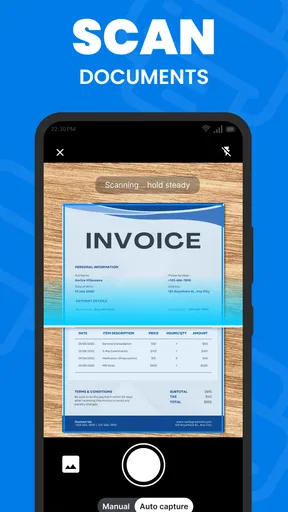
Alright, let’s talk about the scanning feature. This app makes scanning documents so ridiculously easy that you’ll wonder why you ever bothered with traditional scanners. Just point your phone camera at the document, and bam! It captures sharp, clear images. The app automatically detects edges, which means no more fiddling around trying to get that perfect shot.
One feature I particularly loved was the ability to convert scanned documents into PDF format directly within the app. Plus, you can adjust the scan quality settings if you’re working with something a bit more detailed. And if you’re like me, who loves to keep things organized, the app lets you categorize and store your scans neatly.
Printing Made Simple
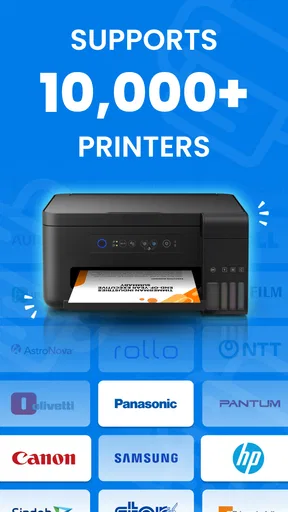
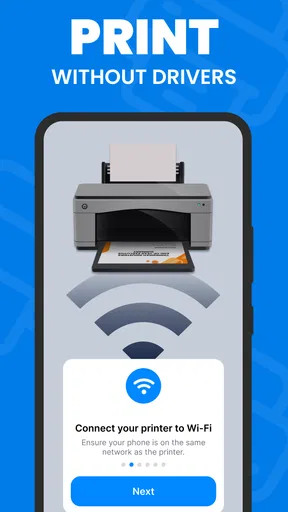
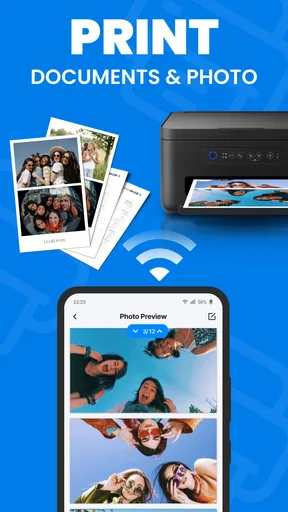
Now, onto the printing feature. If you’ve ever struggled with connecting your phone to a printer, you’re in for a treat. This app supports wireless printing, and it’s as simple as selecting your document and hitting print. It’s compatible with most printers, so you won’t have to worry about compatibility issues.
What’s even cooler? You can adjust print settings directly from your phone, like choosing the number of copies, paper size, and even color settings. It’s like having a mini print shop in your pocket. I tested it out with a variety of documents and images, and the quality was consistently impressive.
Worth Reading Before You Choose

EA SPORTS FC Mobile 26 Is a Bigger Football Game, but It Takes Time

Flipboard Shows What News Apps Must Do Beyond the Feed

Switching to Android Auto Means Rethinking Your Driving Routine

Google Calendar Makes a Crowded Week Easier to Manage

Ludo King Makes the Most of the Minutes Between Plans

Baby Panda World Brings Quick Play to Modern Phones, but Its Game Library Feels Busy
Why It Stands Out
Okay, so why am I raving about this app? For me, it’s the combination of functionality and ease of use. It’s not just an app for scanning and printing; it’s a full-on productivity booster. Whether you’re working from home or on the go, having the ability to manage documents so efficiently is a game-changer.
And let’s not forget about the convenience factor. The app supports cloud storage integration, so you can easily save and access your documents from anywhere. It’s perfect for those moments when you need to pull up a document in a meeting or share something with a colleague on the fly.
Final Thoughts
So, if you’re looking for an app that simplifies your document management tasks, the Printer App & Document Scanner is definitely worth checking out. It’s packed with features that make scanning and printing not just easy, but also enjoyable. Plus, it’s a real time-saver, and who doesn’t love that?
In a world where efficiency is key, having a tool like this at your fingertips can make all the difference. So, go ahead, give it a try, and let me know what you think. Happy scanning and printing!
Pros
- User-friendly interface enhances ease of use.
- Quick scanning with high-quality output.
- Supports multiple file formats for versatility.
- Cloud integration for easy document access.
- Secure data protection and privacy features.
Cons
- Limited free version features.
- Occasional ads can disrupt workflow.
- Requires internet for cloud storage.
- Some features need in-app purchases.
- Compatibility issues with older devices.
FAQs for Printer App: Print Documents
What features does the Printer App & Document Scanner offer?
The Printer App & Document Scanner provides a range of features including wireless printing, scanning, and document sharing. Users can print directly from their smartphones, scan documents to PDF or JPEG, and share files via email or cloud services. It supports various printer models and offers customization options like adjusting print quality and page layout.
Is the Printer App & Document Scanner compatible with all printer models?
While the app supports a wide range of printer models, compatibility can vary. It is recommended to check the app description or the developer’s website for a list of supported printers. Generally, it works well with most Wi-Fi-enabled printers from major brands like HP, Canon, Epson, and Brother.
Does the app require a subscription or any in-app purchases?
The Printer App & Document Scanner typically offers a free version with basic features. However, users may encounter in-app purchases or subscription options to unlock premium features such as advanced editing tools, cloud storage integration, or ad-free experience. Pricing details are available within the app store listing.
Can I scan and save documents in multiple formats using the app?
Yes, the app allows users to scan documents and save them in various formats such as PDF and JPEG. This flexibility helps in adapting to different needs, whether you require high-quality images or compact files for easy sharing. The app also provides basic editing tools to enhance scanned documents.
Is an internet connection required to use the Printer App & Document Scanner?
An internet connection is essential for certain features like cloud storage access and sharing documents via email. However, basic printing and scanning functions can be used offline, provided the printer is connected via Wi-Fi Direct or Bluetooth. Always check specific requirements in the app settings for optimal use.


